
Huntr Blog
Huntr vs Enhancv: Which Resume Builder Tool Is Better?
February 24, 2026

Choosing between Huntr and Enhancv can feel confusing at first because they are often grouped together as AI resume builders, even though they solve different problems. This Huntr vs. Enhancv comparison breaks down how each tool actually performs across the full job search process, from resume creation and AI assistance to tracking applications and staying organized. The goal is to help job seekers understand which option fits the way they search for jobs today, not just which tool looks better on a features page.
Quick Verdict
If you are comparing Huntr vs. Enhancv because you want to move faster in your job search and improve your chances of landing interviews, Huntr is the better choice for most job seekers. It is not just a resume builder. It is a system that helps you manage the entire job application process, from tailoring a professional resume to tracking applications and staying organized across job boards. For people actively applying to multiple roles, that difference matters more than design polish.
Enhancv still makes sense in narrower scenarios. If your job search is highly targeted, you are applying to only a handful of roles, and visual presentation is a meaningful differentiator in your industry, Enhancv can be a reasonable option. It tends to fit best for design-forward roles and candidates who want to shape the narrative themselves, then use the tool to polish the layout and presentation.
In short, if you want one of the best AI resume builders that supports the full job search process and helps you move efficiently toward your dream job, Huntr should be the default choice. Enhancv works best when you already know exactly what you want and are optimizing for presentation over process.
How We Tested Huntr and Enhancv
This comparison is based on hands-on testing. We signed up for Huntr and Enhancv the same way a real job seeker would, went through the resume-building process end-to-end, and used each tool in realistic job search scenarios.
Full disclosure: we build Huntr, so we tested both tools using the same rubric we used across 40+ platforms, and we call out where another tool may fit better.
Both tools were evaluated as part of a broader analysis of 40+ AI resume builders and job search tools. We did not rely on marketing claims. We tested importing an existing resume, creating resumes from scratch, editing and formatting content, exporting finished resumes, and using AI features like bullet point rewriting and tailoring to job descriptions. We also looked closely at job tracking, workflow tools, and how each platform fits into a real job search process.
Pricing transparency and trust signals were part of the evaluation as well. That included how free versions actually work, whether downloads are usable without paying, and how clearly paid plans are explained. The goal was to understand how these AI tools perform in practice, not just how they present themselves.
What Huntr and Enhancv Are Built to Do
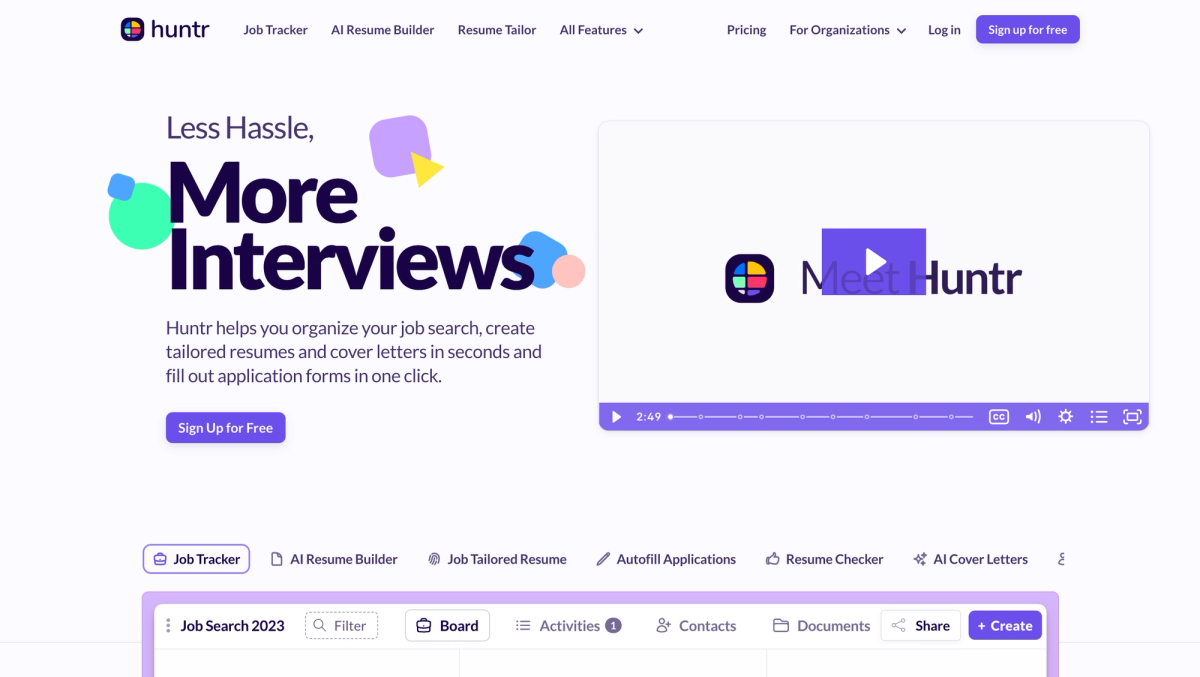
Huntr’s Core Focus
Huntr is built around the idea that job searching is a process, not a single document. Instead of treating resume building as a standalone task, Huntr connects resume creation, job tracking, and application management into one workflow. You tailor a resume to a specific role, apply, and then track that application alongside every other opportunity in progress.
This approach makes Huntr feel closer to a job search operating system than just a resume builder. It is designed for job seekers who are applying to multiple roles across different job boards and need a clear view of what they have applied to, where they are in the process, and what still needs follow-up. The resume is an important part of that system, but it is not the only focus.
Enhancv’s Core Focus
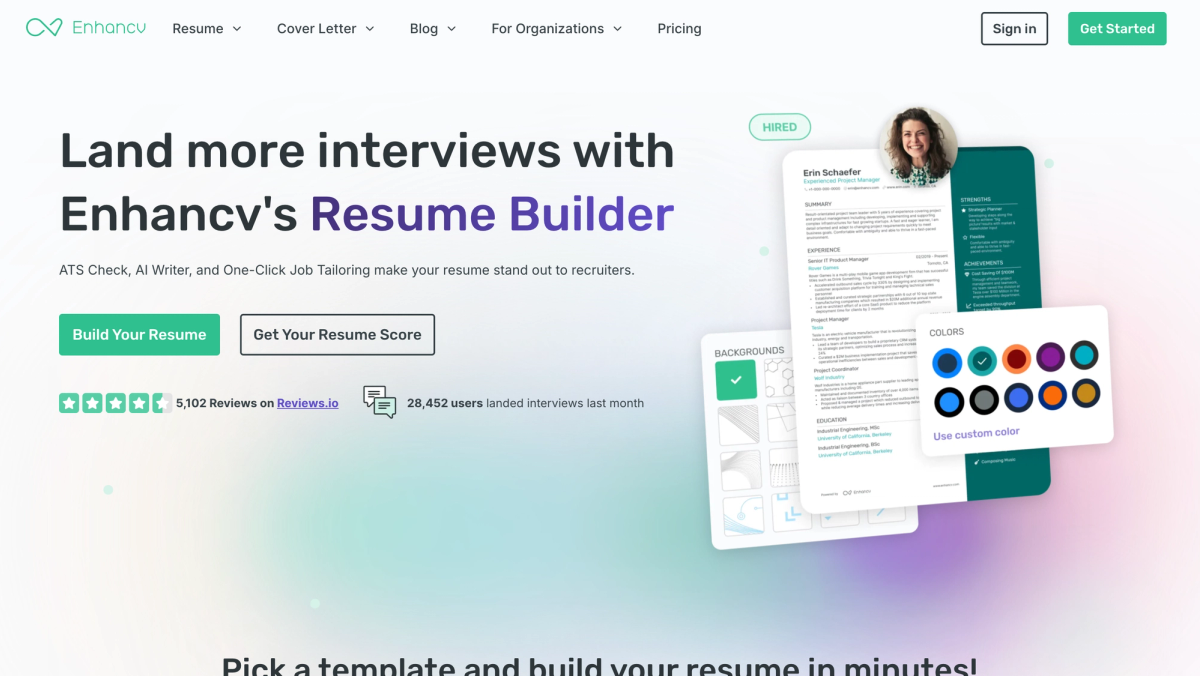
Enhancv is centered on resume storytelling and visual presentation. The platform puts most of its emphasis on how a resume looks and how information is framed, with templates designed to help candidates stand out visually. That design-first philosophy can be useful in fields where presentation carries more weight, such as design, marketing, or certain creative roles.
Enhancv is still a resume builder at its core. While it includes some job search-related features, its primary strength is helping users craft a polished, branded resume rather than managing the broader job application process. It works best when you are focused on producing a standout resume and are less concerned with tracking applications at scale.
Resume Creation Experience Compared (AI Quality vs AI Claims)
Resume Setup and Import Options
Both tools support multiple ways to start creating resumes. You can upload an existing resume, import from LinkedIn, or build a resume from scratch. Huntr does a strong job of extracting content from an existing resume and organizing it into editable sections, which helps reduce friction when updating an entire resume. LinkedIn imports generally transfer cleanly, with only minor adjustments needed.
Enhancv also handles imports reasonably well, though some formatting cleanup is often required, especially when moving content into more visually complex templates. Starting from scratch in Enhancv is guided and design-oriented, which some users may appreciate, but it can feel slower if your priority is getting a finished resume ready quickly.
AI Writing Quality: Contextual vs Generic Output
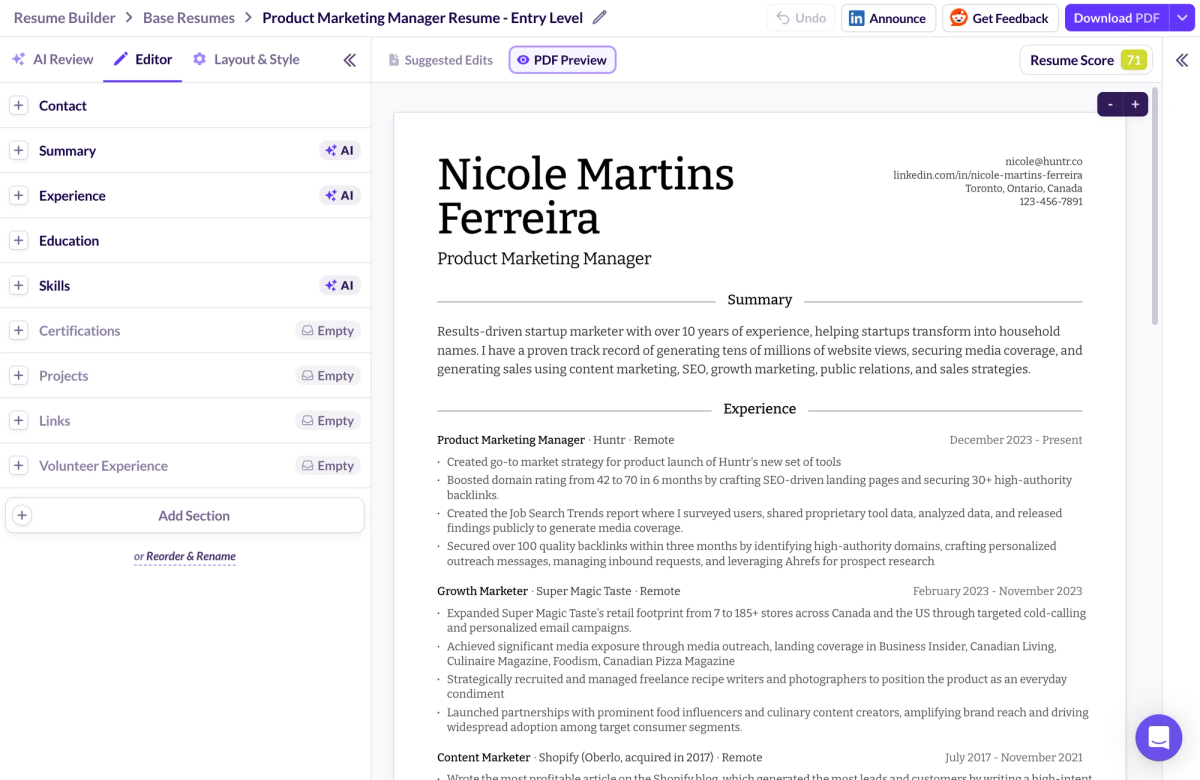
This is one of the clearest differences between the two tools. Huntr’s AI-generated bullet points and resume summaries are generally more contextual and role-aware. When generating or rewriting work experience bullet points, the output tends to focus on responsibilities and outcomes that align with the job description, rather than generic filler. The same applies to resume summaries, which are often usable with minimal editing.
During our testing, Enhancv’s AI felt more like editing and tailoring than true generation, and we could not reliably generate new bullet points or a full resume summary in the core flow without running into limitations. It can help polish wording and suggest adjustments, but it requires more manual writing and heavier review if you expect the tool to do first draft creation.
In both tools, AI-generated content should always be verified. AI can suggest metrics or responsibilities that sound plausible but are inaccurate. Treat these features as accelerators instead of substitutes for your own judgment.
Customization and Editing Flexibility
Huntr offers solid control over resume structure. You can reorder sections, adjust spacing, margins, and fonts, and make layout changes without fighting the editor. The customization options are practical and focused on readability and clarity, which helps when creating a professional resume for applicant tracking systems.
Enhancv offers more visual flexibility. There are more resume templates and more design-oriented controls, which can be useful if you want a standout resume. The tradeoff is that some users may feel boxed into certain layouts, especially if they want to prioritize content density and clean formatting over design elements.
ATS Optimization and Job Matching
How Each Tool Handles ATS Compatibility
Both Huntr and Enhancv position themselves as ATS-friendly, but they approach the problem differently. Huntr focuses on clean formatting and structured content that applicant tracking systems can parse reliably. The templates are straightforward, which reduces the risk of parsing errors and makes resume optimization simpler.
EnhanCV balances ATS compatibility with visual design. Some templates are optimized for applicant tracking systems, while others include design elements that may not be ideal in more traditional hiring pipelines. Users need to be selective about template choice, especially in conservative job markets where hiring managers expect a simple format.
No resume builder can guarantee success with applicant tracking systems. These tools help reduce common mistakes, but factors like job market competition and recruiter preferences still matter.
Job Description Matching: Keywords vs Real Qualifications
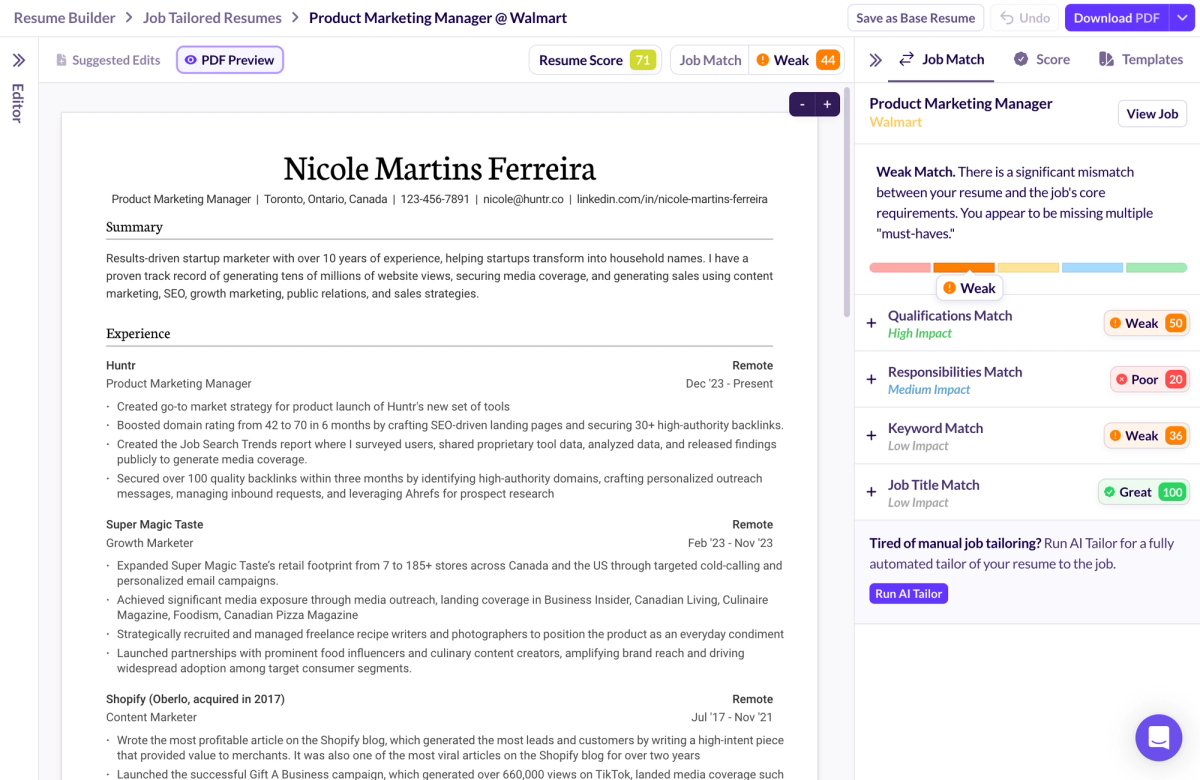
Huntr places more emphasis on matching resumes to specific job descriptions in a practical way. Huntr separates “Is this a good resume?” from “Is this a good resume for this job?” with two different scores. In our testing, the job match feedback went beyond keyword overlap and surfaced missing responsibilities and qualification gaps, which is more useful than a simple keyword checklist.
Enhancv does offer job matching feedback, but it tends to focus more on keyword presence and surface-level alignment. That can help with initial resume optimization, but it can also produce misleading match scores if keywords are present without strong supporting experience.
In both cases, mirroring the job title and tailoring content to the target job title can improve results. The key is to tailor without turning your resume into a robotic list of terms.
Job Search Execution and Workflow
Application Tracking and Organization
This is where Huntr clearly separates itself. Huntr includes a built-in job tracker that lets you manage job applications across stages such as applied, interviewing, and follow-up. You can store notes, contacts, and documents for each role, which helps maintain context over time.
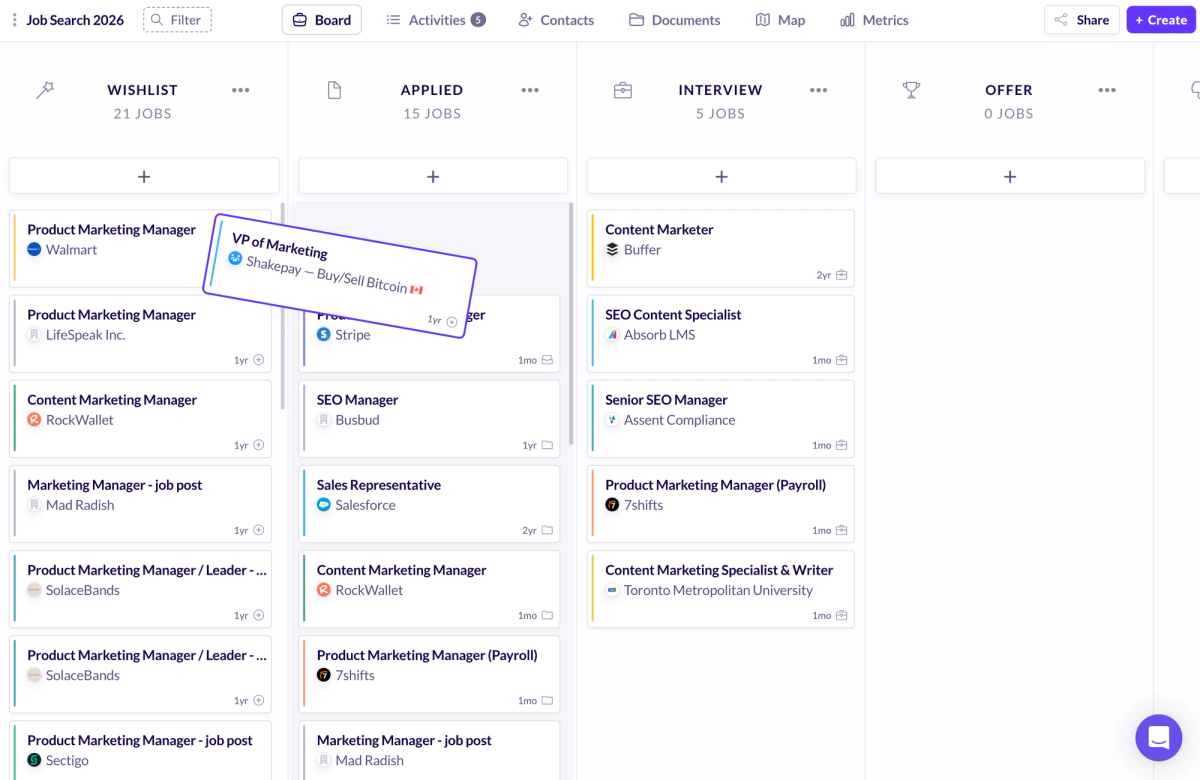
Enhancv includes basic tracking features, but they are not as central to the experience. For job seekers applying to many roles, a dedicated job tracker is far more effective than a spreadsheet. For someone applying to only a few positions, the difference may matter less.
Browser Extensions, Job Saving, and Autofill
Huntr’s Chrome browser extension makes it easy to save job descriptions directly from job boards and attach them to applications in progress. This is useful when job postings change or disappear, and it saves time during high-volume application cycles. Autofill features can also speed up repetitive parts of the job application process, though they should be reviewed for accuracy.
Enhancv does not emphasize this kind of workflow automation. If your job search involves applying broadly, the time savings from these features add up quickly.
Supporting Tools Beyond the Resume
Huntr integrates cover letters and other supporting tools into the same workflow as resume building and job tracking. This makes it easier to keep materials aligned for each application and avoid losing momentum. Interview prep features, where available, are designed to complement the application process rather than stand alone.
Enhancv’s supporting tools are more resume-centric. They work best when the resume itself is the primary focus of the job application process.
Templates, Design, and Presentation
Visual Style and Template Philosophy
Huntr’s templates are conservative and focused on clarity. They prioritize readability and structure over visual flair, which aligns with what many hiring managers expect in a professional resume. The result is a clean document that does not distract from the content.
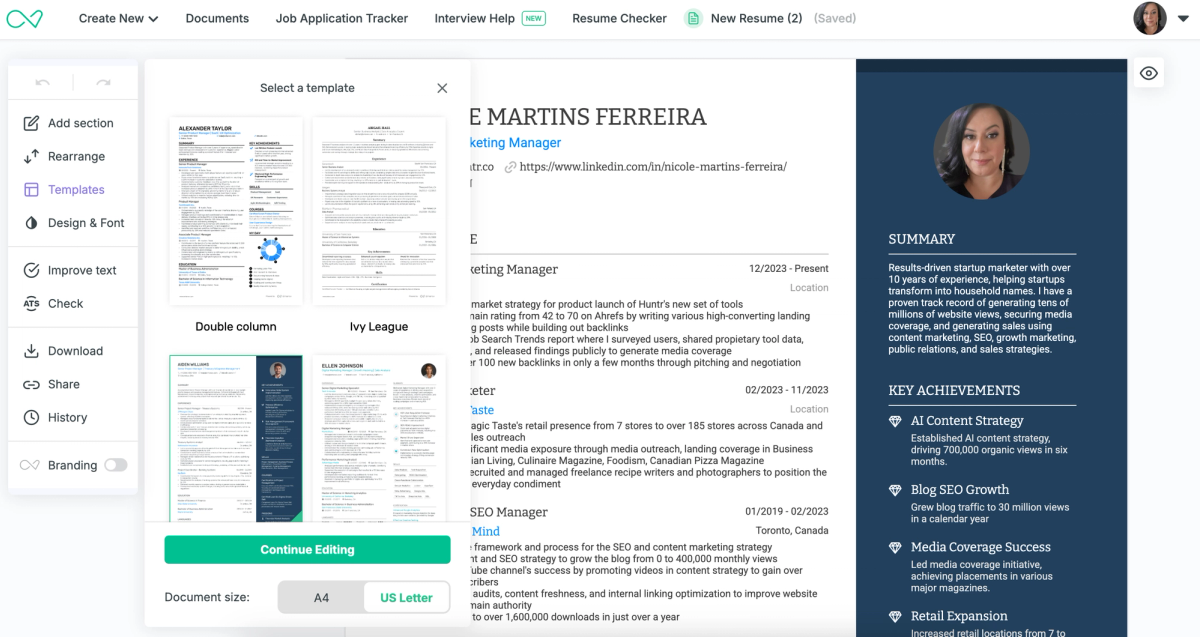
Enhancv’s resume templates are more expressive. They are designed to help candidates stand out visually, which can be effective in the right context. However, that strength becomes a weakness if the design distracts from substance or creates compatibility issues.
When Design Helps and When It Hurts
Design can help when you are applying for roles where presentation is part of the evaluation. It can hurt when applicant tracking systems struggle to parse content or when hiring managers prefer traditional formats. Columns, charts, and heavy styling introduce risk.
For creative roles, Enhancv’s design flexibility can be useful. For most traditional roles, ATS-friendly templates with minimal styling are safer.
Pricing, Free Plans, and Transparency
Free does not always mean usable. Some resume builders restrict downloads, add watermarks, or push users into paid plans through trial traps. Pricing transparency matters because job seekers often need to test tools before committing.
Huntr’s free plan allows users to create and export resumes in a practical way, which makes it easier to evaluate whether paid plans are worth it. EnhanCV’s free version is more limited and may require upgrading to produce a finished resume suitable for real applications. If the PDF export has a watermark, the free plan is effectively a trial, not a usable free version.
Huntr Pricing Breakdown
Huntr’s free plan supports meaningful resume creation and job tracking. You can build resumes, tailor them, and export usable files without immediate pressure to upgrade. Paid plans make sense if you want deeper AI capabilities or more advanced workflow features, but they are not required just to get started.
Enhancv Pricing Breakdown
Enhancv offers a free version and trial, but important features are gated behind paid plans. Watermarks and export limitations affect real-world usability. Paying can make sense if you value design features and are comfortable with the subscription model.
Which Tool Is Better for Your Budget
If you are actively searching and applying broadly, Huntr offers a better return on investment because it supports the entire job search. If you are focused on a small number of applications and want a polished resume presentation, Enhancv may justify its cost. Subscription fatigue is real, so it is worth choosing a tool that matches how you actually search for jobs.
Best Use Cases
Choose Huntr If…
Huntr is the better option if you are applying to many roles, need strong job tracking, and want tighter alignment between your resume and each job description. It works well for job seekers who want an AI-powered resume builder that supports the entire job application process, not just resume writing.
Choose Enhancv If…
Enhancv is a reasonable choice if you want a design-forward resume, are applying selectively, and are comfortable writing most of the content yourself. It fits best when the resume presentation is the primary concern.
Pros and Cons Summary
Huntr Pros and Cons
Huntr’s strengths include strong AI resume capabilities, effective job tracking, clean exports on the free plan, and a workflow that supports real job search execution. Its limitations include a smaller selection of resume templates and the need to review AI suggestions carefully.
Enhancv Pros and Cons
Enhancv’s main strengths are visual polish and flexible design options. Its drawbacks include limited free usability, reliance on paid plans for practical exports, and weaker AI generation compared to other AI resume builders.
Conclusion
If you want the simplest takeaway from Huntr vs Enhancv, it comes down to what you need most right now: a design-forward resume for a small number of carefully chosen applications, or a system that helps you execute across the full job search without losing track of what you have applied to. For most job seekers, Huntr is the better default because it combines resume building with stronger job-to-role matching and a workflow that keeps you moving, which matters more than template variety when you are trying to land interviews in a competitive market. If you are choosing one tool to help you create a professional resume quickly and stay consistent across your applications, Huntr is the best resume builder for the way most people actually search for work in 2026. If you want to see whether it fits your process, sign up for Huntr for free and run one real job description through it today.
FAQs
Is Huntr better than Enhancv for ATS?
For most traditional roles and applicant tracking systems, Huntr’s simpler formatting and stronger tailoring tools make it a safer choice.
Can you use Huntr and Enhancv together?
Some job seekers use Enhancv for design and Huntr for execution, but this adds complexity. Most people are better served by choosing one tool that fits their process.
Which is better for career changers?
Huntr is generally better for career changers because it helps align experience to new job descriptions and manage multiple applications.
Does Enhancv work well for non-creative roles?
It can, but users should stick to ATS-friendly templates and avoid unnecessary design elements.
Is Huntr worth paying for in 2026?
For active job seekers who value speed, organization, and tailoring, Huntr’s paid plans are worth considering.
Which tool helps more with interviews?
Huntr’s workflow-oriented features make it easier to stay prepared across multiple applications.
Are AI resume builders actually safe and accurate?
AI resume builders can be useful, but they are only as accurate as what you review. Always verify claims, metrics, and responsibilities before submitting applications.

Ashliana Spence
Ashliana is a freelance marketing and growth operations consultant who works with lean teams to improve where and how they show up, communicate, and operate. With a background in integrated marketing communications, she focuses on messaging, content, systems, and processes, turning complex ideas and values into clear narratives and building workflows that help teams move with consistency and intent to support long-term trust-driven growth.
Get More Interviews, Faster
Huntr streamlines your job search. Instantly craft tailored resumes and cover letters, fill out application forms with a single click, effortlessly keep your job hunt organized, and much more...
AI Resume Builder
Beautiful, perfectly job-tailored resumes designed to make you stand out, built 10x faster with the power of AI.
Next-Generation Job Tailored Resumes
Huntr provides the most advanced job <> resume matching system in the world. Helping you match not only keywords, but responsibilities and qualifications from a job, into your resume.
Job Keyword Extractor + Resume AI Integration
Huntr extracts keywords from job descriptions and helps you integrate them into your resume using the power of AI.
Application Autofill
Save hours of mindless form filling. Use our chrome extension to fill application forms with a single click.
Job Tracker
Move beyond basic, bare-bones job trackers. Elevate your search with Huntr's all-in-one, feature-rich management platform.
AI Cover Letters
Perfectly tailored cover letters, in seconds! Our cover letter generator blends your unique background with the job's specific requirements, resulting in unique, standout cover letters.
Resume Checker
Huntr checks your resume for spelling, length, impactful use of metrics, repetition and more, ensuring your resume gets noticed by employers.
Gorgeous Resume Templates
Stand out with one of 7 designer-grade templates. Whether you're a creative spirit or a corporate professional, our range of templates caters to every career aspiration.
Personal Job Search CRM
The ultimate companion for managing your professional job-search contacts and organizing your job search outreach.
Huntr
Blog Product Updates Resume Skill Guides Resume Examples Interview Question Guides Research 2025 Job Search Trends Report Affiliate Program Careers Privacy policy Terms of service Write for us LinkedIn Reddit r/HuntrCo Twitter @TryHuntr Email UsProduct
Job Tracker AI Resume Builder Resume Tailor Resume Checker AI Cover Letters Resume Summary Generator Resume Bullet Generator Resume Skills Generator Resume Headline Generator Resume Keyword Scanner Job Keyword Finder Targeted Resume Contact Tracker Interview Tracker Job Search Metrics Job Application Autofill Resume Storage AI Resume Review Job Clipper Resume Optimization ChatGPT Resume Builder Resume Fixer LinkedIn Resume Builder AI Resume Rewriter Interview Question Generator