
Huntr Blog
Huntr vs Hiration: Which AI Job Search Tool Is Better?
February 02, 2026

Choosing between AI job search tools is less about flashy features and more about how well it supports the work you actually do during a search. In this Huntr vs. Hiration review, we look beyond templates and marketing claims to compare how each tool performs when you are applying, tailoring, and tracking in real conditions. If you are a job seeker deciding between a resume-first product and a system built for execution, this comparison is designed to help you choose the right tool for how you actually search.
Quick Verdict
In the Huntr vs. Hiration comparison, Huntr is the better choice for most job seekers because it operates like a job search system, not just a resume builder. It’s built around the work that actually takes time in a search: managing job applications, tracking progress, and tailoring your resume repeatedly without losing momentum.
Hiration is more of a document prep tool. It can help you review a resume, spot gaps, and clean up presentation. But it does not give you the job tracking, workflow, or execution layer that matters once you start applying across multiple roles.
If you’re actively applying, tracking outcomes, and iterating on a tailored resume across many job descriptions, Huntr tends to deliver stronger real-world results. For most modern job searches, execution wins.
How We Tested Huntr and Hiration
We tested Huntr and Hiration using the same rubric we applied across 40+ AI resume builder tools. The workflow was consistent: import an existing resume, edit content, run AI rewrites, export, then optimize against a job description. We used each tool multiple times to better understand how they work.
We evaluated editor usability and customization, AI writing quality (bullet points, resume summary, rewrites), job matching and ATS alignment quality, job search tools like a job tracker and browser extension, and pricing clarity and trust signals. We scored what happened in real use, including friction, weak outputs, and missing features.
This matters because resume software marketing tends to overpromise. Our scoring rewards tools that produce usable outputs, save time, and support the full resume writing process in a real job search.
Huntr vs Hiration: Job Search System vs Career Prep Assistant
Huntr: A Full Job Search Management System
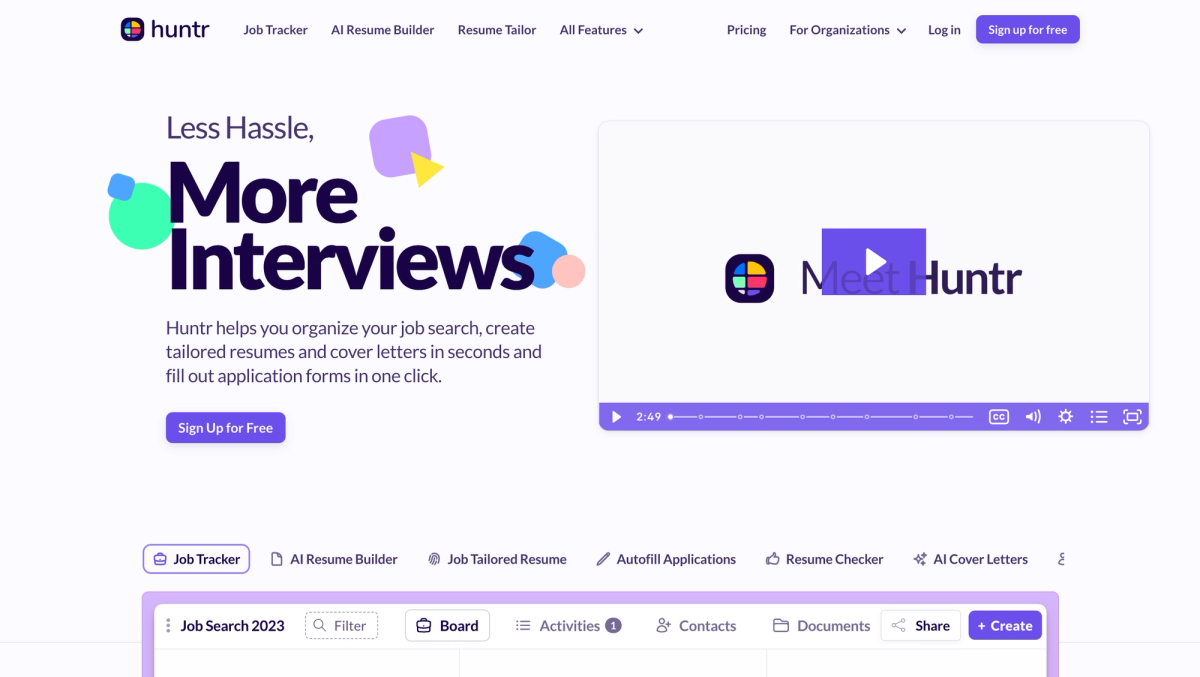
Huntr is built around job search execution. The product makes sense when you are applying to many roles and need a single place to track job applications, stages, contacts, notes, follow-ups, and documents. The AI resume builder and cover letter tools sit inside that system so you can move from edit to apply to track without breaking your flow.
That matters because most searches fail from inconsistency, not from a lack of templates. A job tracker that supports momentum often beats a tool that only helps you polish one document.
Hiration: A Resume Review and Career Prep Assistant
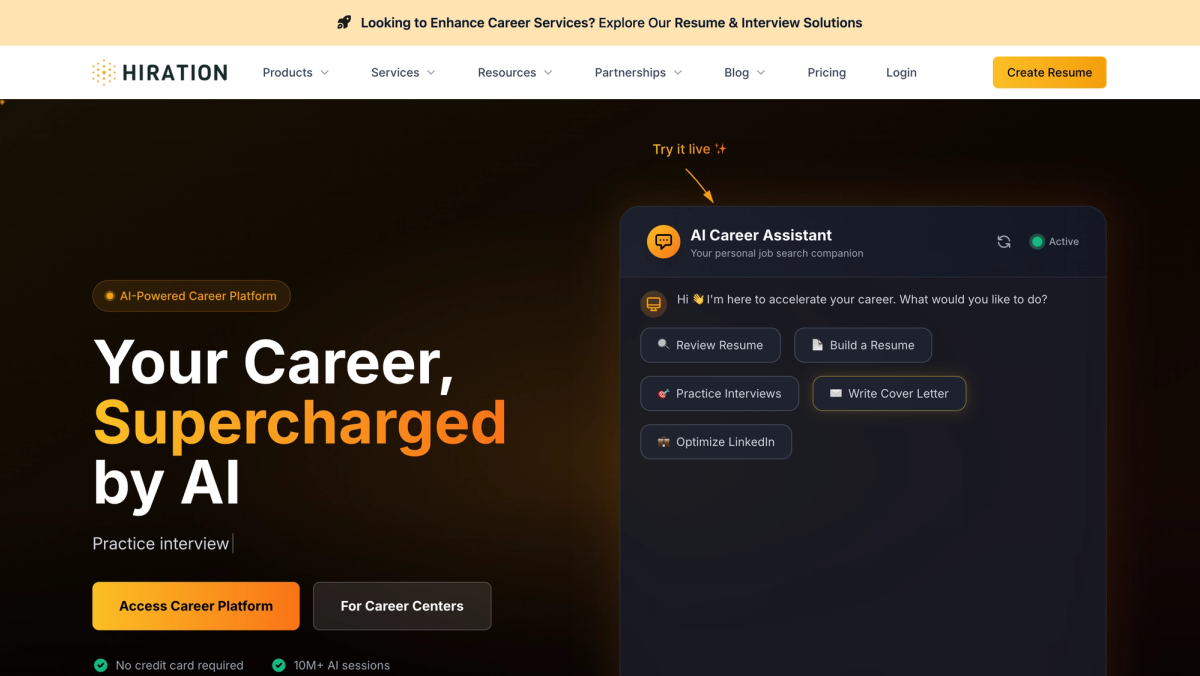
Hiration is built around improving documents. It focuses on resume review, scoring, keyword visibility, and formatting feedback. It can help you refine an existing resume and make sure the basics are covered before you start applying.
What it doesn’t provide is an application management layer. If you need to track interviews, follow-ups, and multiple versions of your resume across roles, you will be relying on external trackers.
Resume Builder and AI Writing Capabilities
Huntr’s Resume Builder
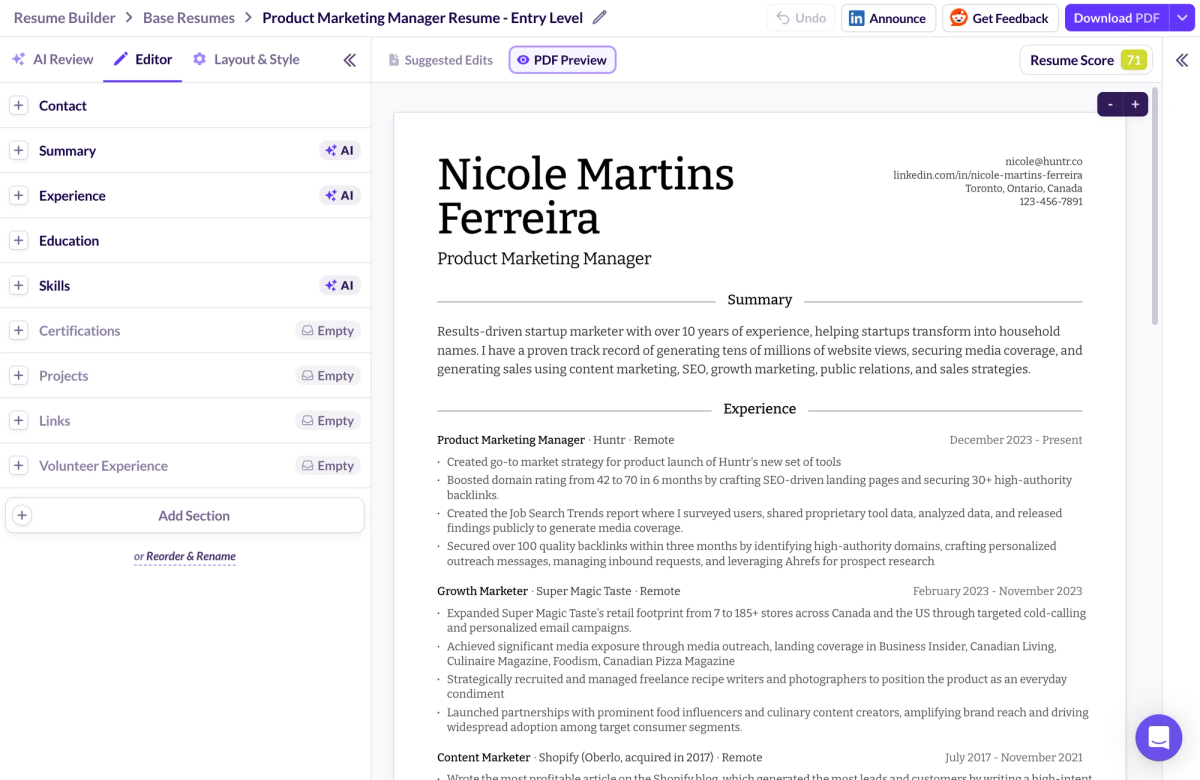
Huntr supports resume creation from multiple starting points, including LinkedIn, PDF, and DOCX imports. That matters because speed starts at import. A tool that captures your existing resume cleanly reduces setup time and makes it easier to iterate.
In testing, Huntr’s AI rewriting performed best when used as a contextual editor. It was strongest at improving resume bullet points in a way that stayed aligned to the role, while preserving intent. The output was more usable for a tailored resume because it could be refined quickly instead of rewritten from scratch.
Customization is also a strength. You can adjust fonts, spacing, layout, and section order without fighting the editor. That supports a clean first impression while keeping the resume content readable.
Exports are practical. You can export a free resume as PDF and DOCX, which matters if you need a Word version for internal applications or recruiter edits. The resume builder fits the execution loop: edit, tailor, export, apply, then track.
Hiration’s Resume Builder
Hiration supports PDF and DOCX imports but doesn’t offer a LinkedIn import. That is a real drawback for speed if you rely on LinkedIn as your source of truth.
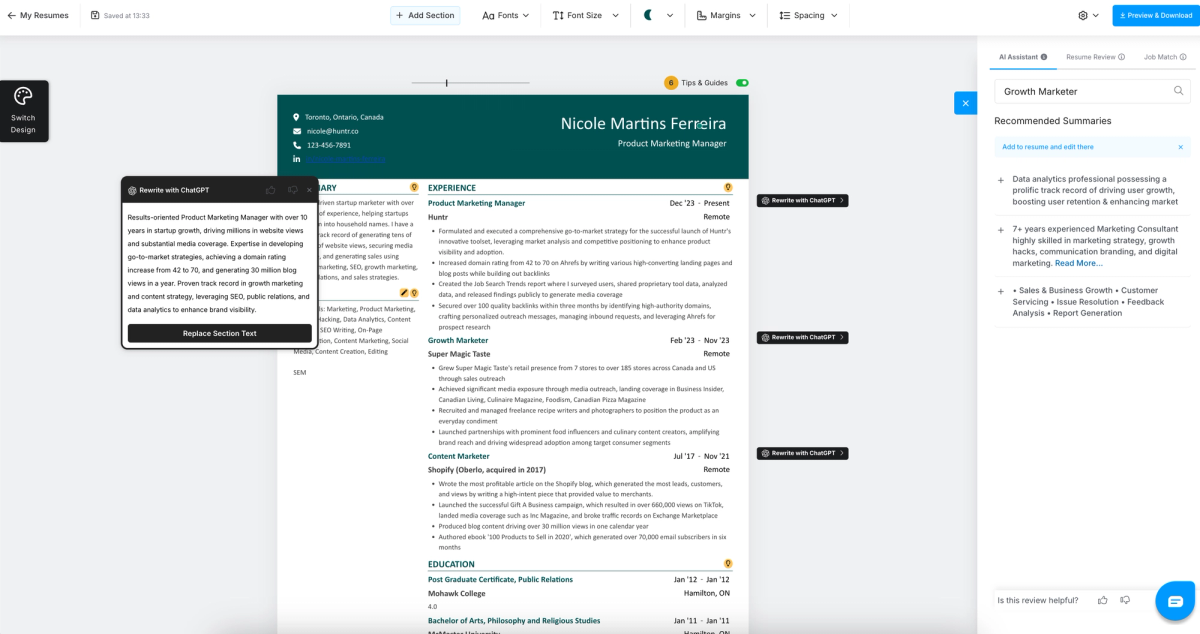
Hiration offers a larger set of resume templates, but customization depth is more limited. It gives you enough control to produce professional layouts, but it feels more like choosing from preset options than building with complete customization.
Its most useful area is the resume checker experience. The feedback is structured, and the line-by-line style review can help catch issues in bullet length, repetition, or missing sections. Keyword visibility can also be useful for surface-level alignment.
The limitations show up in AI writing reliability. Bullet suggestions often skew generic, and rewrite performance can feel inconsistent. Exports are available as PDF and DOCX, with no TXT export.
Which Platform Produces Better Real-World Resumes and Why?
A perfect resume is the one that matches the role, reads clearly, and survives applicant tracking systems without breaking formatting. In practice, that comes down to iteration speed and how well the tool helps you tailor to a specific job.
Huntr tends to produce better real-world resumes because it supports faster iteration and stronger contextual rewrites. It is also built around repeated tailoring, which is how most job seekers actually apply. Hiration can help you improve structure and catch issues, but the optimization is closer to surface-level guidance than deep alignment.
Hiring managers and potential employers respond to clarity and relevance. Tools that help you create relevant bullet points quickly tend to win.
Job Tracking and Application Management
Huntr’s Job Tracker and Kanban Workflow
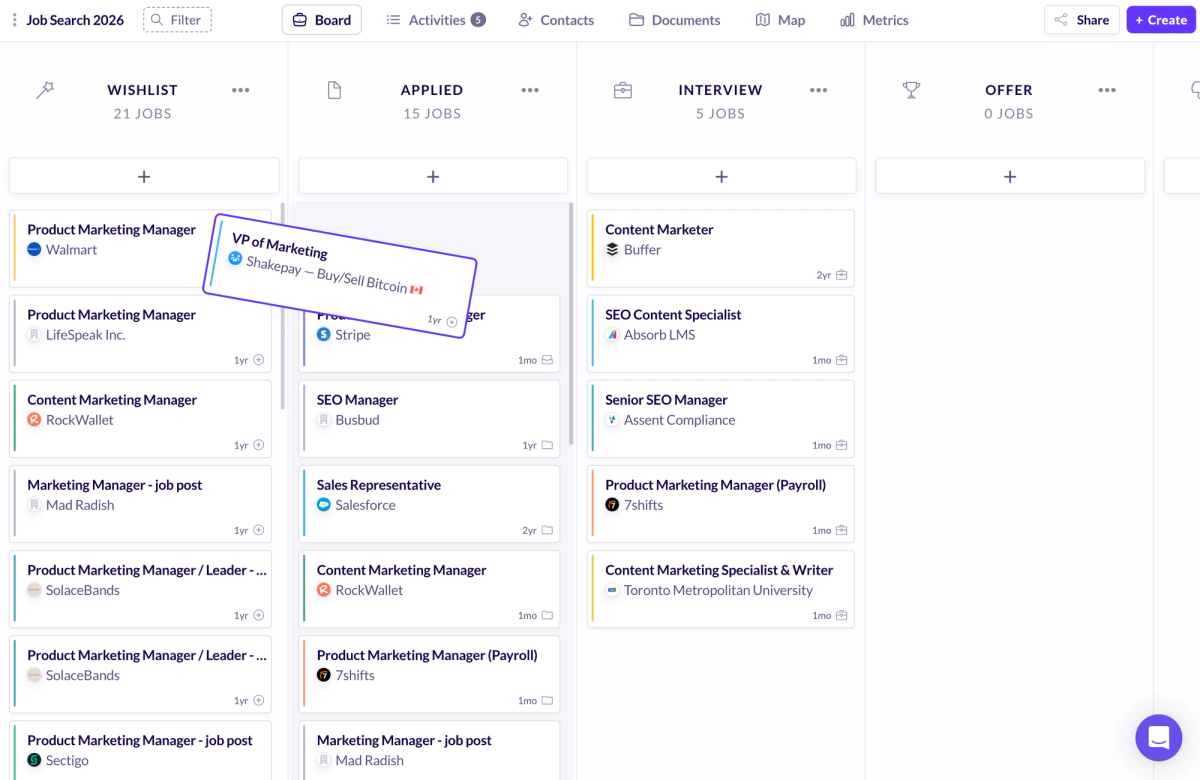
Huntr includes a job tracker designed for application volume. The Kanban pipeline gives you a visual view of stages so you can see where your job applications are getting stuck. The Chrome extension helps you capture roles quickly while preserving the job description, which is useful when postings disappear.
Notes, contacts, reminders, and follow-ups are built into the same workspace. That reduces context switching and makes it easier to maintain momentum. For most high-volume job searches, this workflow is the difference between being organized and feeling scattered.
Hiration’s Job Tracking Features and Their Limits
Hiration does not include a built-in job tracker or a Chrome extension. That means tracking requires external tools like spreadsheets or a secondary job search tool.
If your search involves multiple pipelines, interview rounds, and recurring follow-ups, you will feel the missing layer quickly. This reinforces Hiration’s positioning as a resume-based prep assistant.
Which Tool Is Better for Staying Organized at Scale?
Huntr clearly wins for organization at scale. Hiration is not designed to manage job applications.
Job Matching, Keyword Optimization, and ATS Tools
Hiration’s ATS and Keyword Visibility Tools
Hiration’s ATS tooling is mostly about keyword presence. The resume score and job mapping features can highlight missing keywords from a job description, which can help with surface-level alignment.
This is useful when your resume misses obvious terms. It’s less useful when the core issue is experience alignment.
Huntr’s Job Match and Resume Tailoring System
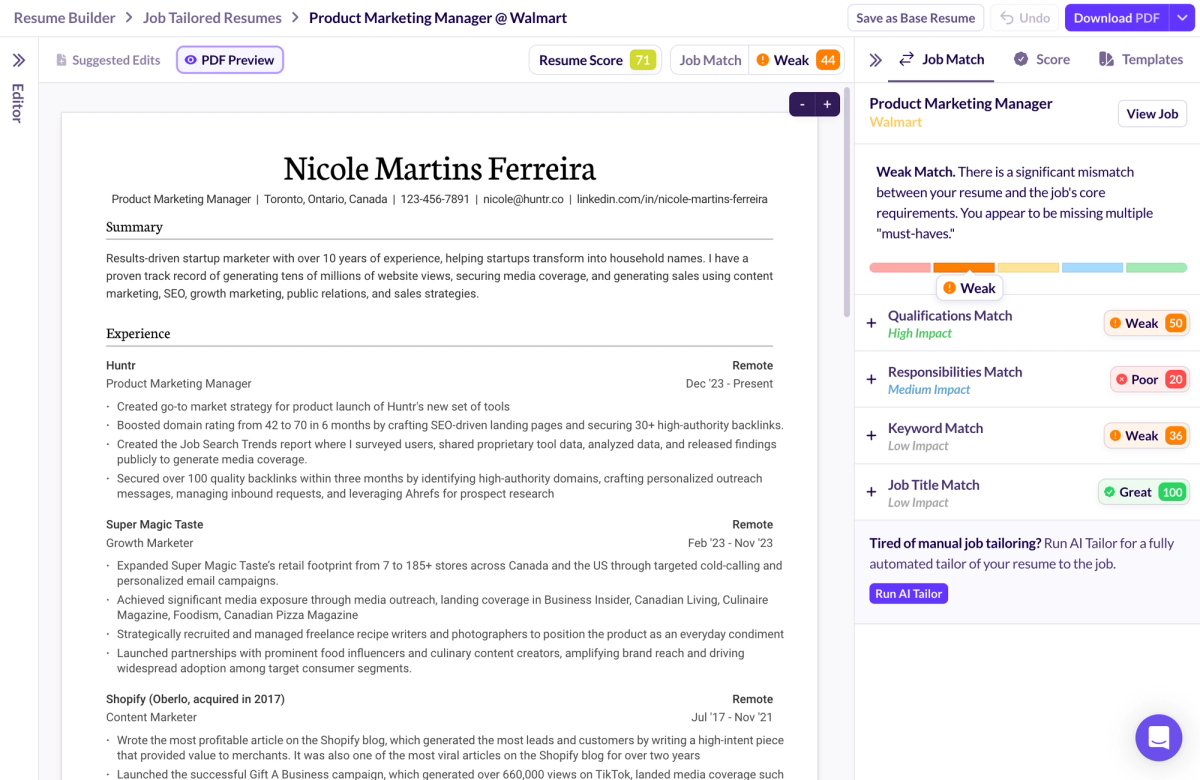
Huntr’s job match scoring and tailoring are stronger when you need alignment, not just keywords. In testing, it performed better at connecting your resume content to role requirements and helping you produce a tailored resume that reflects both qualifications and keyword targeting.
Huntr’s AI tailor can generate complete rewrites aligned to the target role and job description. That approach is closer to how hiring managers actually evaluate resumes, where relevance and evidence matter more than a checklist.
Which One Helps You Pass ATS Filters and Why?
Hiration helps with keyword awareness. However, Huntr supports qualification plus keyword alignment, which is more realistic and more effective for applicant tracking systems.
Cover Letters, LinkedIn Optimization, and Extra Career Tools
Huntr’s Cover Letter and Workflow-Oriented Tools
Huntr’s cover letter generation is designed to reduce friction during active searches. It fits the apply loop and supports rapid iteration per job description, which matters when you are sending many job applications.
Hiration’s Cover Letter and LinkedIn Review Tools
Hiration includes cover letter support and LinkedIn profile review features. These can help with material polish and consistency checks.
The value is highest when you are preparing documents before you apply. It does less to support day-to-day execution once the search becomes high volume.
Which Platform Better Supports End-to-End Job Searching?
Huntr supports execution. Hiration supports preparation.
Ease of Use, Interface, and Learning Curve
Huntr: Built for Speed and Frequent Use
Huntr has a user-friendly interface designed for frequent use. The workflow is straightforward, and the tracker-first layout makes sense when you are managing job applications daily.
Hiration: Built for Focused Review Sessions
Hiration’s interface is better suited to focused resume review sessions. It is feature-dense and works best when you are optimizing materials in batches rather than running a daily application workflow.
Which Tool Fits Your Working Style Better?
If you want a tool you can live in during job seeking, Huntr fits better. If you only want occasional resume feedback, Hiration can work.
Trust, Data, and Pricing Transparency (Avoiding Resume Builder Traps)
The resume builder market has real traps. Some tools advertise low-cost downloads that convert into subscriptions. Others hide renewal terms or operate clone sites with the same product under different names.
The safest approach is to check three things before paying: whether the free version allows real exports, how cancellation works, and whether the free account is usable beyond a teaser. If a tool forces a paid plan just to remove branding or download a file, that’s a red flag.
Compared to many other resume builders, both Huntr and Hiration were clearer than many tools we tested when it comes to pricing and access. You should still review checkout terms and renewal details carefully, but neither relies on the deceptive patterns that are common in this category.
Pricing, Plans, and Value for Money
Huntr Pricing
Huntr’s strong free plan provides real utility, including resume exports and system features that support job applications. The value increases as application volume increases because the job tracker and workflow reduce overhead.
If you are applying seriously, the ROI comes from fewer missed follow-ups, faster tailoring, and better organization across the pipeline. Job seekers on Huntr’s paid plan tend to find jobs about seventeen days faster than those on their free plan.
Hiration Pricing
Hiration’s pricing is reasonable for a resume review tool and document prep assistant. The value is best if you want feedback on an existing resume, keyword visibility, and formatting checks.
It makes less sense if you expect a full job search system, since you will still need separate tools for tracking.
Which Tool Delivers Better Value?
Huntr offers more value for most modern job searches because it covers the execution layer that job seekers spend the most time on. Hiration makes sense for narrower prep use cases.
Pros and Cons Summary
Huntr Pros and Cons
Huntr’s strengths are system depth, tracking, AI rewriting quality, job match alignment, and workflow support for job applications. The main downside is that it may be more than you need if you are doing a minimal search with only a few applications.
Hiration Pros and Cons
Hiration’s strengths are structured resume review, clean resume templates, and keyword visibility features. The downsides are the lack of job tracking, weaker AI rewrite reliability, and limited execution support once you start applying at scale.
Best Use Cases Between Huntr and Hiration
Choose Huntr If…
Choose Huntr if you’re applying to many roles, need a job tracker, and want to move faster from tailoring to submission. It’s built to manage pipelines, follow-ups, and repeated resume iterations without losing control.
Choose Hiration If…
Choose Hiration if you already have an existing resume and want a resume review pass before applying. It can help you check keyword presence and polish formatting, especially if you plan to use another system to manage job applications.
When Using Both Tools Might Make Sense
Some users may prep with Hiration and execute with Huntr, but many will only need Huntr if they want one tool that covers both resume building, resume review, and job search execution.
Which Tool Performs Better in Real-World Scenarios?
High-volume job applicants usually benefit more from Huntr because the workflow reduces friction and prevents lost details. Career switchers often need both tailoring and structure, which again points toward a system approach. Students and early-career professionals tend to benefit from speed, templates, and clear guidance, which is where Huntr’s iteration loop helps. Mid-career and senior professionals may value review features, but they still need tracking and disciplined execution if they apply broadly.
Conclusion
In the Huntr vs. Hiration decision, it comes down to whether you want a tool that helps you polish documents or a job search system that helps you execute day after day. For the vast majority of job seekers who are applying across multiple roles, tracking follow-ups, and tailoring fast, Huntr is the stronger pick, and it aligns better with what our rubric rewarded across the best AI resume builder tools we tested. If you only want resume feedback, Hiration can do that job, but most searches are won by consistency and throughput, and Huntr is built for that. If you want to keep your applications organized and your tailoring tight in one place, start with Huntr for free and build your workflow around it.
FAQs
Is Huntr or Hiration better for ATS optimization?
Huntr is typically better for ATS optimization because it supports both keyword targeting and qualification alignment. Hiration is more focused on keyword visibility and resume review.
Is Huntr worth paying for in 2026?
Huntr is worth paying for if you are actively applying and need a job search system that reduces time spent tracking, tailoring, and managing job applications. If you are applying to only a few roles, the free version may be enough.
Is Hiration good for beginners?
Hiration can be useful for beginners who want structured resume feedback and a guided resume review. It is less useful as a daily job search tool because it lacks a job tracker.
Can Huntr replace a resume builder like Hiration?
For most job seekers, yes. Huntr covers resume creation, rewriting, and tailoring while also managing the application workflow. If you mainly want resume review feedback, Hiration can still add value.
Do recruiters prefer resumes made with these tools?
Recruiters care about clarity, relevance, and formatting that works in applicant tracking systems. A resume from any resume builder can work if the resume content is strong and tailored to the job description.
Are Huntr and Hiration safe to use with personal data?
Both appear safer than many tools in the broader market, but you should still avoid including sensitive details you would not share in a normal job application. Review privacy policies before uploading documents.
Are there good free alternatives to Huntr or Hiration?
There are other resume builders with free versions, and you can also use a document editor plus a spreadsheet as a basic system. The trade-off is time and workflow friction, which is what tools like Huntr are designed to reduce.

Ashliana Spence
Ashliana is a freelance marketing and growth operations consultant who works with lean teams to improve where and how they show up, communicate, and operate. With a background in integrated marketing communications, she focuses on messaging, content, systems, and processes, turning complex ideas and values into clear narratives and building workflows that help teams move with consistency and intent to support long-term trust-driven growth.
Get More Interviews, Faster
Huntr streamlines your job search. Instantly craft tailored resumes and cover letters, fill out application forms with a single click, effortlessly keep your job hunt organized, and much more...
AI Resume Builder
Beautiful, perfectly job-tailored resumes designed to make you stand out, built 10x faster with the power of AI.
Next-Generation Job Tailored Resumes
Huntr provides the most advanced job <> resume matching system in the world. Helping you match not only keywords, but responsibilities and qualifications from a job, into your resume.
Job Keyword Extractor + Resume AI Integration
Huntr extracts keywords from job descriptions and helps you integrate them into your resume using the power of AI.
Application Autofill
Save hours of mindless form filling. Use our chrome extension to fill application forms with a single click.
Job Tracker
Move beyond basic, bare-bones job trackers. Elevate your search with Huntr's all-in-one, feature-rich management platform.
AI Cover Letters
Perfectly tailored cover letters, in seconds! Our cover letter generator blends your unique background with the job's specific requirements, resulting in unique, standout cover letters.
Resume Checker
Huntr checks your resume for spelling, length, impactful use of metrics, repetition and more, ensuring your resume gets noticed by employers.
Gorgeous Resume Templates
Stand out with one of 7 designer-grade templates. Whether you're a creative spirit or a corporate professional, our range of templates caters to every career aspiration.
Personal Job Search CRM
The ultimate companion for managing your professional job-search contacts and organizing your job search outreach.
Huntr
Blog Product Updates Resume Skill Guides Resume Examples Interview Question Guides Research 2025 Job Search Trends Report Affiliate Program Careers Privacy policy Terms of service Write for us LinkedIn Reddit r/HuntrCo Twitter @TryHuntr Email UsProduct
Job Tracker AI Resume Builder Resume Tailor Resume Checker AI Cover Letters Resume Summary Generator Resume Bullet Generator Resume Skills Generator Resume Headline Generator Resume Keyword Scanner Job Keyword Finder Targeted Resume Contact Tracker Interview Tracker Job Search Metrics Job Application Autofill Resume Storage AI Resume Review Job Clipper Resume Optimization ChatGPT Resume Builder Resume Fixer LinkedIn Resume Builder AI Resume Rewriter Interview Question Generator