

Choosing between Huntr vs. Kickresume is less about which resume builder has the “best” features on paper and more about which one fits the way you actually apply for jobs. Some job seekers need a fast, polished resume and cover letter so they can move on quickly, while others need a system that supports the entire job search with organization, repeatable tailoring, and fewer moving parts. In this guide, we break down where each tool performs best so you can pick the option that matches your workflow and helps you stay consistent.
Quick Verdict
Huntr vs. Kickresume comes down to what you need help with most: managing the job search or creating polished documents quickly. If you are applying to roles consistently and juggling multiple job applications each week, Huntr is the better pick because it functions as a job tracker tool that supports the entire job search workflow. It is built for job seekers who want structure, repeatability, and a system that makes job tracking and tailoring feel manageable.
Kickresume is a solid choice if your main priority is getting a good-looking resume and cover letter done. It does a good job helping you create professional resumes with modern templates, and it can be useful when you want a clean first draft without setting up a complete job search system.
If you want one tool that holds your job hunt together, Huntr is the stronger option for most job seekers. Kickresume makes the most sense when design variety matters more than the job search workflow or when you simply want a resume builder that helps you produce attractive documents quickly.
What Each Tool Is Really Built For
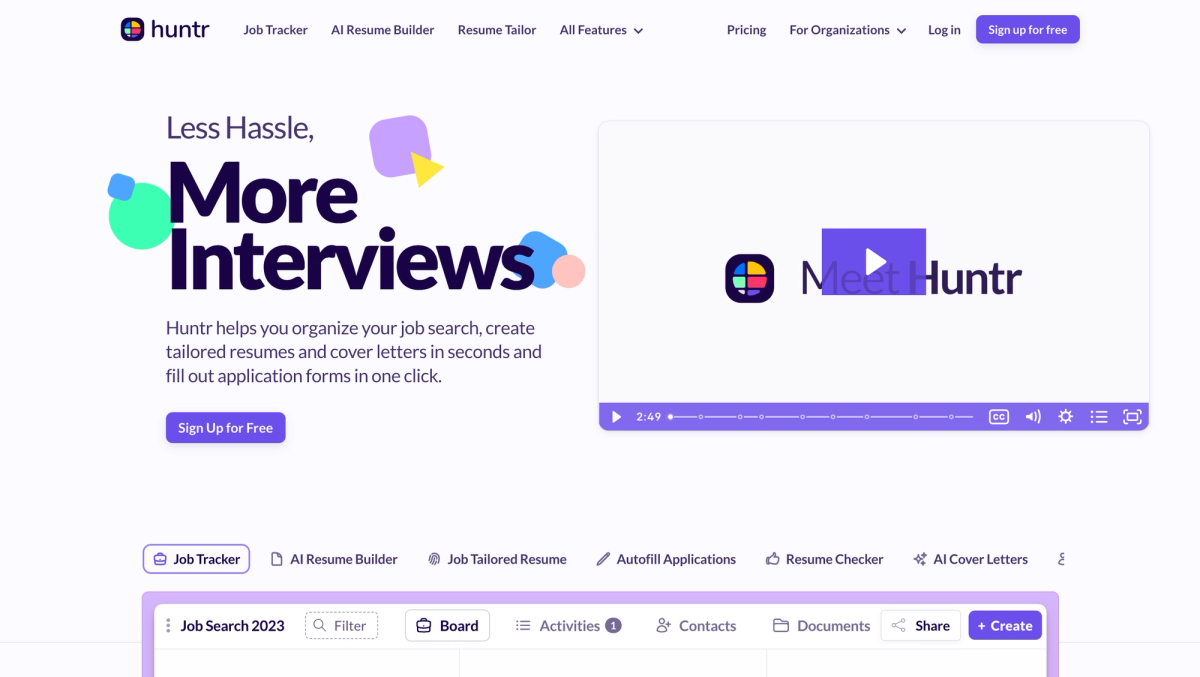
Huntr is designed to help you with your entire job search. It is built around job tracking, resume building and tailoring, and resume reviewing, so you can keep your applications organized and improve your materials over time. Instead of treating your resume as a one-time document, it treats it like something you refine repeatedly across different job descriptions. This makes it a better fit for job seekers who want a comprehensive job search organization without relying on spreadsheets and scattered documents.
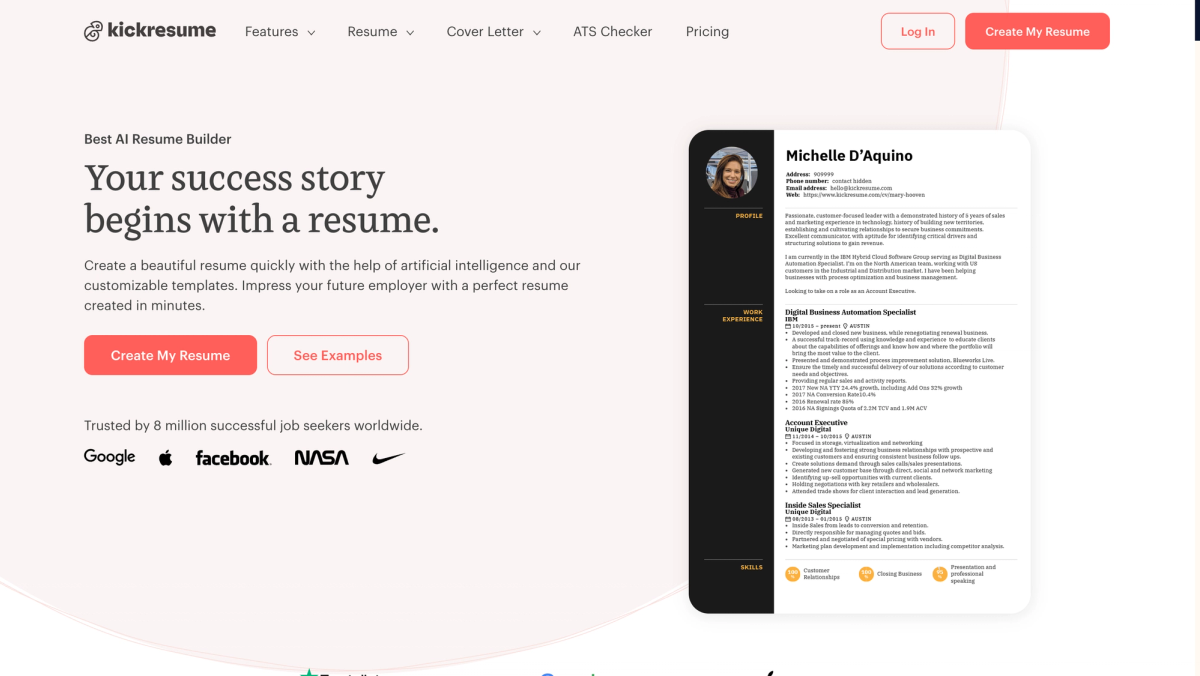
Kickresume is primarily a document creation platform. It focuses on resume building, cover letter creation, and offering a wide range of resume templates. It is closer to a traditional resume builder experience, where the main output is a polished resume file rather than all that and a full job search workflow.
The easiest way to think about Huntr vs. Kickresume is workflow versus output. Huntr helps you build a beautiful resume and run the entire job search. Kickresume helps you produce good-looking job search materials.
Our Testing Method (Based on 40+ AI Resume Builder Tools)
To compare Huntr vs. Kickresume fairly, we tested both tools the way real job seekers use them. We imported an existing resume, built one from scratch, edited sections inside the resume editor, and exported final files to check formatting quality. We also tested AI tools directly inside the resume-building process, including bullet point generation, rewriting, summaries, and job description tailoring.
We scored tools using a consistent rubric based on practical outcomes instead of feature lists. That includes resume editor usability, layout flexibility, AI writing quality, tailoring effectiveness, export compatibility, and workflow support like job tracking and browser extension usefulness.
We also tracked friction points and pricing transparency. If a tool feels smooth until the download step becomes a paywall, that affects how useful it is in a real job hunt.
Resume Builder & Templates
Both Huntr and Kickresume make it easy to create professional resumes, but they feel different in practice.
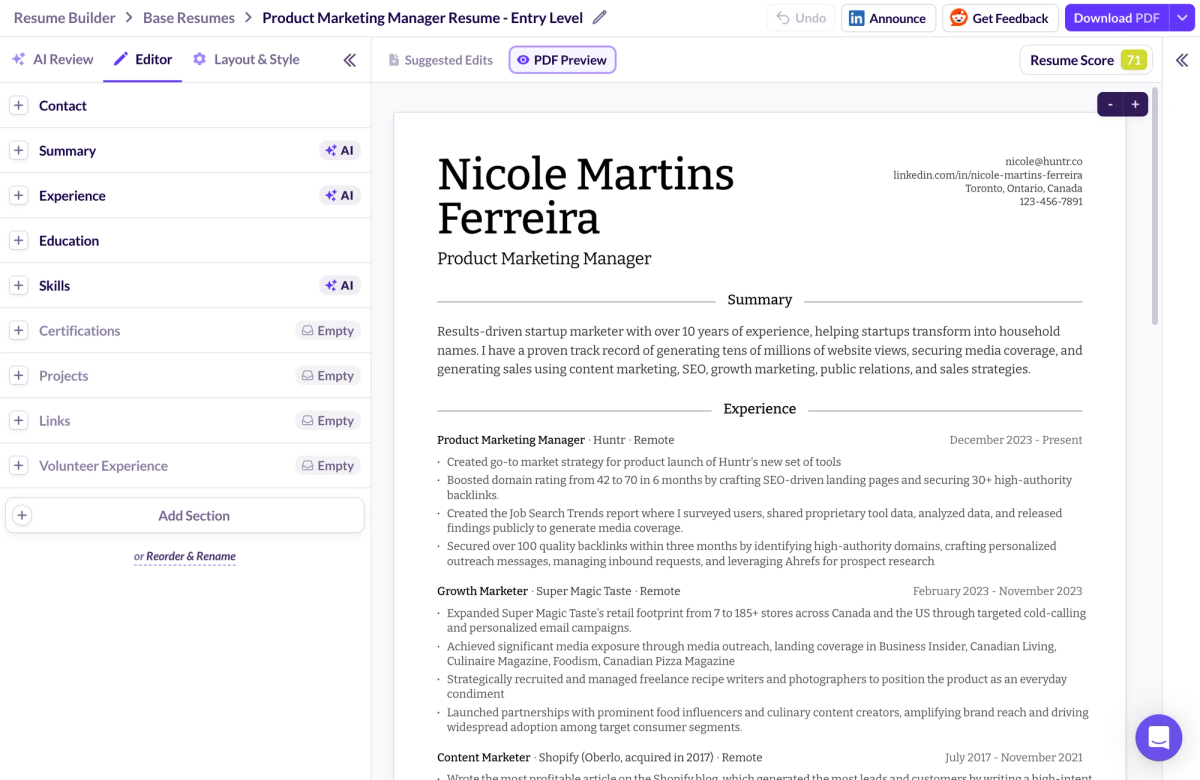
Huntr keeps the resume builder experience focused on ease and speed. Editing is straightforward, layouts stay readable, and customization supports common needs without turning the process into design work. The template selection is smaller, but the templates feel more job-search practical, especially for job seekers applying to roles where readability and structure matter more than visuals.
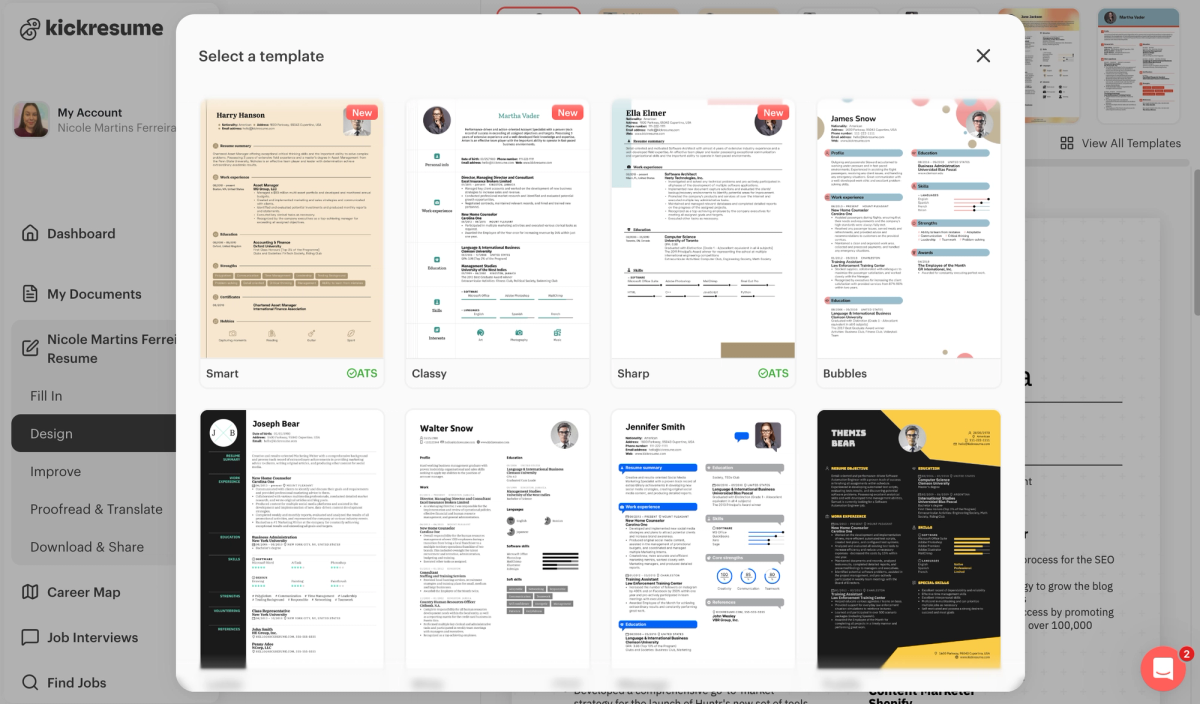
Kickresume offers more resume templates and more visual variety. If you want professional resume templates with more stylistic range, it has the advantage. The editor is user-friendly, and it’s easy to get something that looks polished quickly, especially if you enjoy having more design choices.
For most applicants, the best resume format is the one that stays clean in applicant tracking systems and still reads well to a hiring manager. A design-forward resume is not automatically a problem, but complex layouts can create risk when exporting or uploading across different systems. In that sense, Huntr’s approach tends to be safer by default, while Kickresume gives you more visual options if you want them.
AI Writing + Tailoring (What Actually Helps You Get Interviews)
AI writing matters most when it saves time without making your resume sound generic. Both tools can help generate resume bullet points, improve wording, and produce a resume summary, but the real difference shows up when you start tailoring to job descriptions repeatedly.
Huntr’s strength is rewriting and tailoring in a way that supports resume optimization across many applications. If you’re applying to multiple job titles and need a tailored resume for each role, the value is in how quickly you can create strong variations without rewriting everything from scratch. The best AI suggestions feel specific, grounded, and easy to edit into your own voice. That is where Huntr performs well, especially when you need to move fast but still keep quality high.
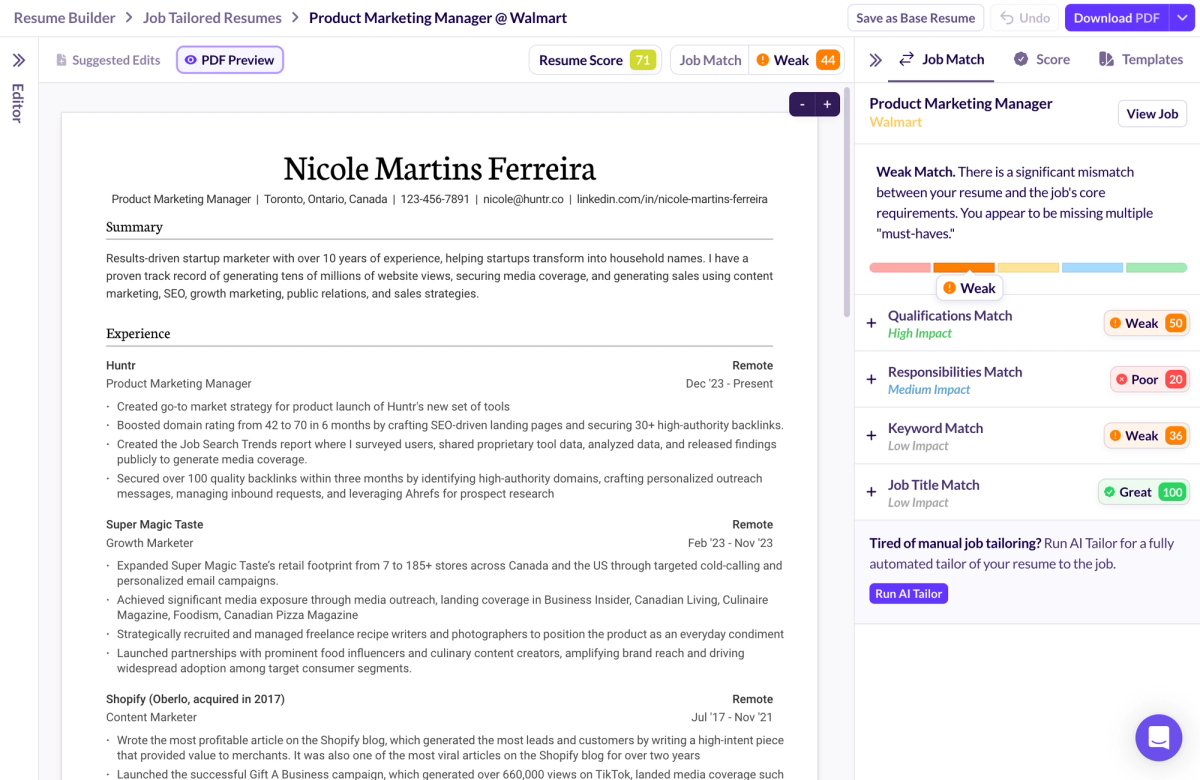
Kickresume’s AI tools can help you draft content and clean up phrasing, which can be useful when you want a quick starting point. It works well for turning a blank page into a resume draft, but it’s less focused on the ongoing process of tailoring at scale.
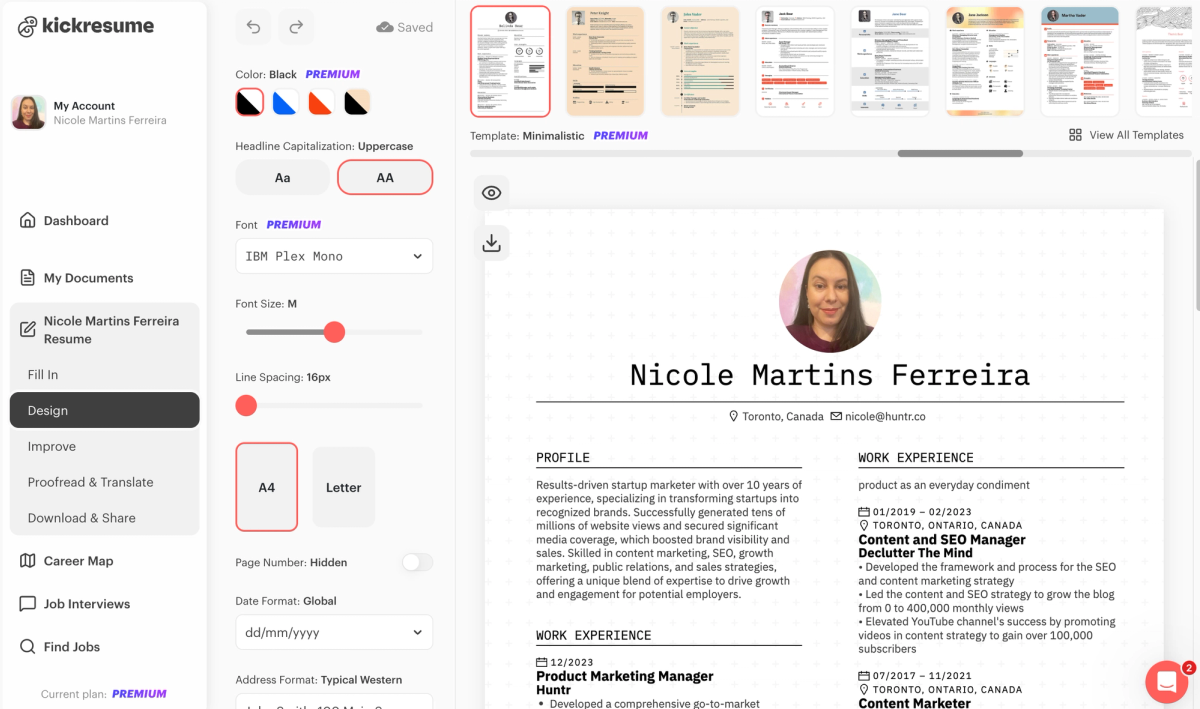
If you want one takeaway, it is this: both platforms help with AI resume writing, but only one is built to support job seekers who need consistent tailoring across lots of job applications.
The Difference Between Applying With Huntr vs Kickresume
This is where Huntr vs. Kickresume stops being a resume comparison and becomes a workflow comparison. Once you’re actively job hunting, the hardest part usually is not writing one resume. It is staying organized across dozens of job listings while keeping your tailored resume and cover letter aligned for each application.
Huntr is built for job tracking and pipeline management. You can treat your job search like a system with stages, notes, and progress you can actually see. That matters more as your volume increases, because the job tracker becomes the place where everything lives. When you are applying consistently, this structure prevents missed follow-ups, duplicated work, and last-minute scrambling to remember which version you sent to which company.
Managing multiple resumes is another practical divider. Resume-only tools often work fine early on, but they tend to break down when you need different versions per role, especially across different job descriptions that require different emphasis. Huntr is designed for that reality.
The Chrome extension also supports the job search workflow in a way that makes applying more efficient. Saving jobs quickly and autofilling information reduces friction, which matters when you are trying to maintain momentum over a long job search. This is the difference between doing a few applications per week and being able to keep a steady pace without burning out.
For job seekers applying to 30 or more roles per week, Huntr is built for the job hunt itself, not just the documents.
Export Options + Compatibility (PDF, DocX, Real-World Requirements)
Export options sound minor until they block you from applying. Most job applications accept PDF resumes, but some employers still request a Word document or need a DocX file for internal systems. Some recruiters also prefer a format they can annotate or edit, especially in certain industries or when working with staffing teams.
Huntr supports exporting a DocX file, which makes it easier to use your resume anywhere. That matters when you need to submit through an ATS, email directly to a hiring manager, or make final changes in Google Docs or Microsoft Word without fighting formatting issues.
Kickresume supports PDF export and can also export text files, but it does not offer DocX export. For some job seekers, that will not matter. For others, it becomes a limitation at the exact moment they need flexibility.
Regardless of the tool, it’s worth checking that your exported resume format stays consistent. Watch for spacing shifts, header alignment, and section breaks. Those small formatting issues can make a polished resume look careless during the hiring process.
Pricing + Free Plans (What You Actually Get)
Both Huntr and Kickresume offer a free plan, but the value depends on what you need to do during your job search. The practical question is whether the free version lets you complete the workflow: build, tailor, and export your resume without hitting a wall.
Huntr’s free plan is strong for job seekers who want to build and download a resume and also get a job tracker experience without immediately upgrading. If you’re running a 30-day job search sprint, that free plan can carry a lot of the workload while you decide whether the paid plan is worth it.
Kickresume’s free plan supports creating and downloading a resume, but premium features unlock the broader template selection and more advanced capabilities. That may be fine if you only need basic templates, but it can feel limiting if you expected full access to the resume builder experience without paying.
Pricing transparency matters because the resume builder space has a history of awkward paywalls and confusing upgrade paths. A tool should be clear about what is included, what is locked, and what you can export. When you are job hunting, the last thing you want is to spend an hour building a resume and then discover the download is gated behind a plan you did not intend to buy.
For most job seekers, the best resume builder is the one that lets you move quickly without surprises.
Best Choice By Situation
If you are applying to a high volume of roles each week and need a job tracker to stay organized, Huntr is the better choice. It supports job tracking, tailoring, and repeat applications without turning your search into a spreadsheet project.
If you are a student or entry-level applicant and you mostly need help creating a strong first resume quickly, Kickresume can be a helpful starting point, especially if you care about design. Huntr still works well here if you want a system that grows with you once applications ramp up.
If you are changing careers, Huntr is usually the safer pick because tailoring and workflow management matter more than template variety. You need your tailored resume to match the specific job description and stay consistent across applications.
If you are in a creative field where visual presentation plays a bigger role, Kickresume makes sense because it offers more design options while still producing professional resumes.
If you are applying to senior roles, Huntr tends to fit better because ease, positioning, and organization usually matter more than just resume styling. Senior candidates also benefit from a tool that keeps the job search process structured and reduces repetitive work.
Conclusion
Huntr vs. Kickresume is a close comparison if you are only thinking about building a resume, but it becomes a much clearer decision once you zoom out to the entire job search. Kickresume is a capable resume builder for creating polished documents quickly, but Huntr is the more complete option for job seekers who want comprehensive job search organization, a job tracker that keeps everything in one place, and an AI resume builder that supports a tailored resume across real job applications so you can stay consistent and land interviews faster. If you want a job search tool that helps you keep momentum without losing track of what you applied to and why, try Huntr for free and run your next week of applications inside one system.
FAQs: Huntr vs Kickresume
Is Huntr worth it in 2026?
Huntr is worth it in 2026 if you are actively applying and want one place to manage your job tracker, tailored resume versions, and progress across job applications. It’s especially helpful once you are applying consistently and need structure to avoid losing track of which resume you sent to which role. If you only need a one-time resume draft, the value is smaller, but for ongoing job search workflow support, Huntr is one of the stronger options.
Is Kickresume ATS-friendly?
Kickresume can be ATS-friendly when you use a clean layout and avoid overly complex formatting. Applicant tracking systems generally handle simple designs well, especially when headings are clear and the resume content is easy to parse. If you choose a more design-heavy template, it’s worth double-checking spacing, columns, and section order before submitting your resume through an ATS.
Which is better for tailoring to job descriptions?
Huntr is better for tailoring because it’s built around job descriptions and repeat applications, not just resume creation. If you are applying to multiple roles, Huntr makes it easier to keep versions organized and update your resume as you go. Kickresume can help with drafting and rewriting, but it’s less focused on tailoring at scale across many job applications.
Can I use Huntr or Kickresume for free?
Yes, both offer a free version, but the experience is different depending on what you need. Huntr’s free plan is useful if you want to build and download a resume while also using basic job tracking. Kickresume’s free version supports resume creation and downloads, but many templates and premium features are reserved for paid plans.
Which is better for LinkedIn applications?
Huntr is usually the better choice for LinkedIn applications if you apply often and want a smoother workflow, since it supports tracking roles and staying organized as you move from saved jobs to interviews. Kickresume can still work well if your main focus is creating a strong resume and cover letter before you apply, but it does not offer the same job tracker depth for managing volume.
Can Kickresume export DocX?
Kickresume doesn’t offer DocX export. If an employer specifically asks for a Word document for your job application, you’ll likely need to use another tool or convert your resume after exporting it. Huntr supports DocX export, which gives you more flexibility when you need an editable file for Microsoft Word or Google Docs.

Ashliana Spence
Ashliana is a freelance marketing and growth operations consultant who works with lean teams to improve where and how they show up, communicate, and operate. With a background in integrated marketing communications, she focuses on messaging, content, systems, and processes, turning complex ideas and values into clear narratives and building workflows that help teams move with consistency and intent to support long-term trust-driven growth.
Get More Interviews, Faster
Huntr streamlines your job search. Instantly craft tailored resumes and cover letters, fill out application forms with a single click, effortlessly keep your job hunt organized, and much more...
AI Resume Builder
Beautiful, perfectly job-tailored resumes designed to make you stand out, built 10x faster with the power of AI.
Next-Generation Job Tailored Resumes
Huntr provides the most advanced job <> resume matching system in the world. Helping you match not only keywords, but responsibilities and qualifications from a job, into your resume.
Job Keyword Extractor + Resume AI Integration
Huntr extracts keywords from job descriptions and helps you integrate them into your resume using the power of AI.
Application Autofill
Save hours of mindless form filling. Use our chrome extension to fill application forms with a single click.
Job Tracker
Move beyond basic, bare-bones job trackers. Elevate your search with Huntr's all-in-one, feature-rich management platform.
AI Cover Letters
Perfectly tailored cover letters, in seconds! Our cover letter generator blends your unique background with the job's specific requirements, resulting in unique, standout cover letters.
Resume Checker
Huntr checks your resume for spelling, length, impactful use of metrics, repetition and more, ensuring your resume gets noticed by employers.
Gorgeous Resume Templates
Stand out with one of 7 designer-grade templates. Whether you're a creative spirit or a corporate professional, our range of templates caters to every career aspiration.
Personal Job Search CRM
The ultimate companion for managing your professional job-search contacts and organizing your job search outreach.
Huntr
Blog Product Updates Resume Skill Guides Resume Examples Interview Question Guides Research 2025 Job Search Trends Report Affiliate Program Careers Privacy policy Terms of service Write for us LinkedIn Reddit r/HuntrCo Twitter @TryHuntr Email UsProduct
Job Tracker AI Resume Builder Resume Tailor Resume Checker AI Cover Letters Resume Summary Generator Resume Bullet Generator Resume Skills Generator Resume Headline Generator Resume Keyword Scanner Job Keyword Finder Targeted Resume Contact Tracker Interview Tracker Job Search Metrics Job Application Autofill Resume Storage AI Resume Review Job Clipper Resume Optimization ChatGPT Resume Builder Resume Fixer LinkedIn Resume Builder AI Resume Rewriter Interview Question Generator